
Pinterest Downloader
Save high-resolution images, creative ideas, and video pins from Pinterest directly to your device.
Three steps to offline freedom.
Compatible with any desktop browser, iPhone Camera Roll, and Android Files without installs.
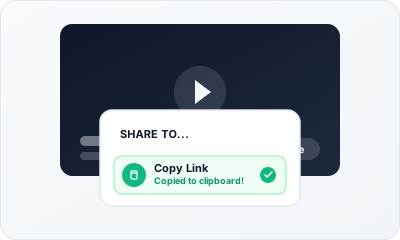
Copy Media Link
Copy the URL of a public pin or pin.it link from Pinterest.
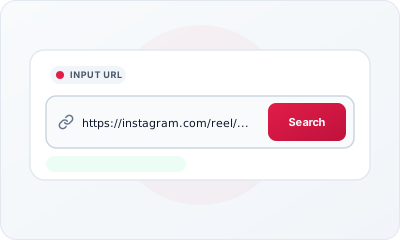
Paste & Search
Paste the URL into MediaFlow and click "Search" to detect whether it is a video or image.
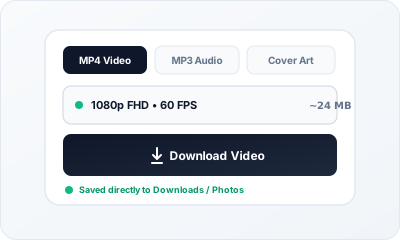
Choose Format & Save
Click Download to save the original high-resolution photo or MP4 video.
Pinterest Media Capabilities
Automatically identifies whether a pin contains an image or video and delivers the media in original fidelity.
| Specification | Video (MP4) | Audio (MP3) | Compatibility & Playback |
|---|---|---|---|
| Container Format | MP4 (MPEG-4 Part 14) | MP3 (MPEG-1 Audio Layer III) | Universal (iOS, Android, Windows, Mac, Smart TVs) |
| Video Codec & Encoding | H.264 / AVC (Standard Progressive) | N/A (Audio Stream) | Zero transcoding lag on any device |
| Max Video Resolution | 1080p FHD (1920x1080), 720p HD, 360p | N/A (Audio Track Only) | Retina, 4K monitors, and mobile displays |
| Audio Fidelity & Bitrate | AAC-LC Stereo @ 128–192 kbps | Constant Bitrate (CBR) up to 320 kbps | Hi-Fi headphones, car audio, Apple Music, VLC |
| Stream Muxing (FFmpeg) | Auto-muxed video + audio streams | Clean loss-minimized audio extraction | Guarantees synchronized sound on 1080p |
How to Save Media on Any Device
MediaFlow runs directly in any modern web browser without requiring third-party companion apps or jailbreaks.
Windows, macOS & Linux
Use any standard desktop browser (Google Chrome, Firefox, Safari, Microsoft Edge, or Brave).
- 1. Paste & Click Search: Paste the copied video link into the search bar.
- 2. Select Format: Choose MP4 (up to 1080p) or MP3 audio.
- 3. Save to Downloads: Click “Download”. Your browser will automatically save the file directly to your system’s
Downloadsfolder.
Android Smartphones & Tablets
Optimized for Chrome, Samsung Internet, and Firefox on all modern Android versions.
- 1. Copy from App: In the YouTube or Instagram app, tap “Share” → “Copy Link”.
- 2. Automatic Detection: Open MediaFlow and click “Paste Link” or paste into the box.
- 3. Open via Files: Once the download finishes, swipe down your notification tray or open the Files by Google app to view or play your media.
iPhone & iPad (iOS Safari)
Apple iOS 13+ supports direct browser downloads via native Safari download management.
- 1. Open in Safari: Copy your media link and open MediaFlow in Apple Safari.
- 2. Tap Download: Select your quality and tap “Download MP4” or “Download MP3”. Confirm the Safari download prompt.
- 3. Save to Photos/Files: Tap the blue circle download icon in Safari’s address bar, tap the file, and select “Save Video” to send it directly to your Photos camera roll.
Why Choose MediaFlow?
Dual Video & Photo Support
Smart detection automatically identifies video pins versus high-resolution still images.
Original Quality Retention
Preserves the highest resolution available from the creator without downsampling.
Mobile pin.it Shortlinks
Seamlessly resolves short share links generated by the mobile Pinterest app.
Safe & Watermark-Free
Downloads clean media files without any injected branding or watermarks.
Frequently Asked Questions
Yes! If a pin is an image, MediaFlow lets you download the full-resolution photo. If it is a video, you can download the MP4 file.